What needs you, first
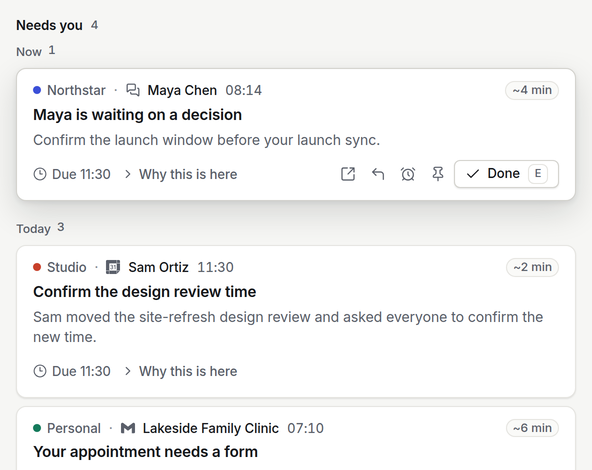
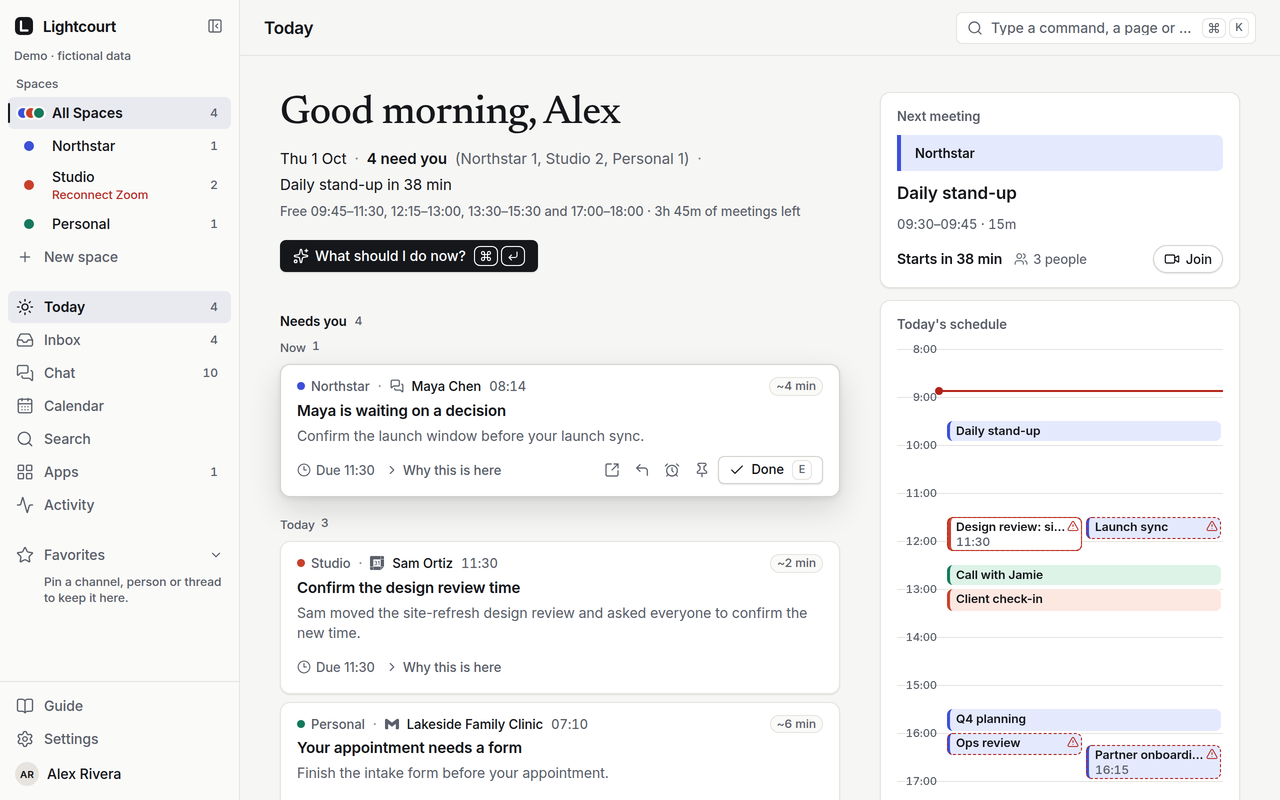
Today opens on the few things that need you, from every Space, with the time until your next meeting. Each row says who, which Space and app, and when.
For people who work for more than one company
Mail, chat, calendars and work tools from each company stay in their own Space. Lightcourt shows you what needs you across all of them, combined on your device.
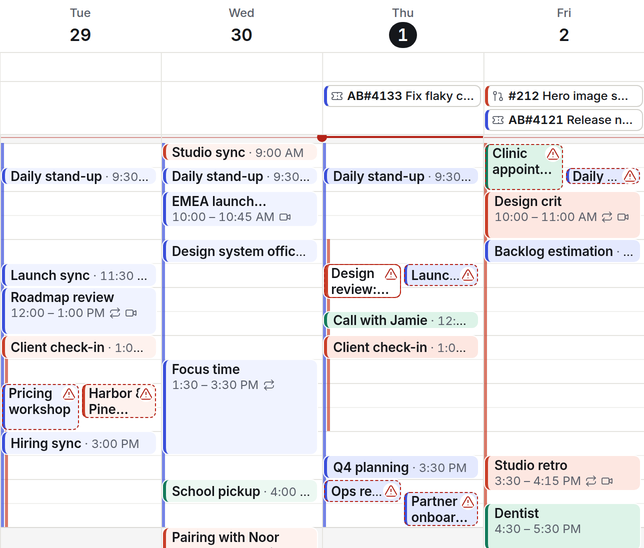
Conflict found on this device Studio’s design review overlaps Northstar’s launch sync
How it works
Connect Northstar’s Microsoft 365 to Northstar, and Studio’s Google Workspace and Slack to Studio. Each Space gets its own key, its own data and its own AI policy.
Today, Inbox, Chat and Calendar combine every Space on your device. Each row says who it’s from, which Space and app, and when — so you know where to answer before you open it.
A reply is drafted in the Space it came from and sent from that company’s account, only when you approve it. A new meeting time goes to one company and carries nothing but the time.
Every company gives you its own inbox, chat and calendar. Lightcourt brings what needs you from each of them into one place, and keeps every company in its own Space.
Today opens on the few things that need you, from every Space, with the time until your next meeting. Each row says who, which Space and app, and when.
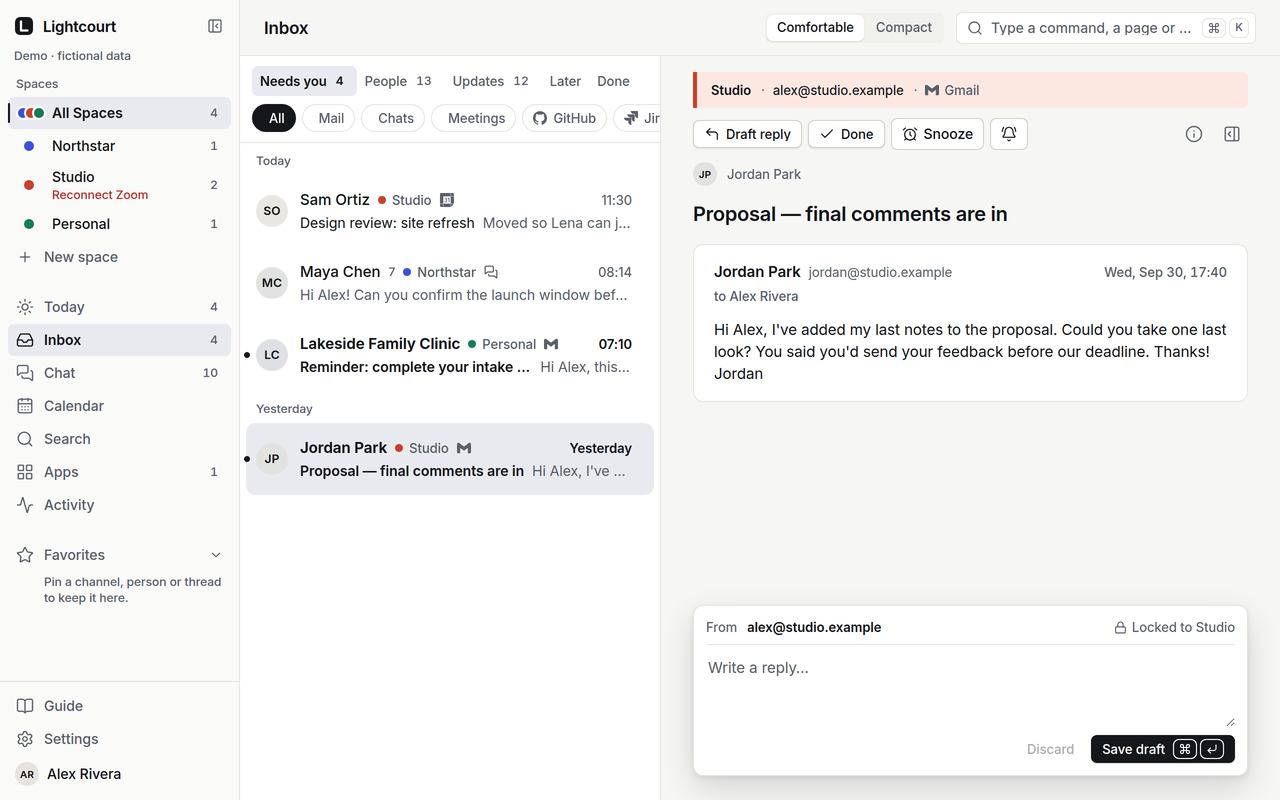
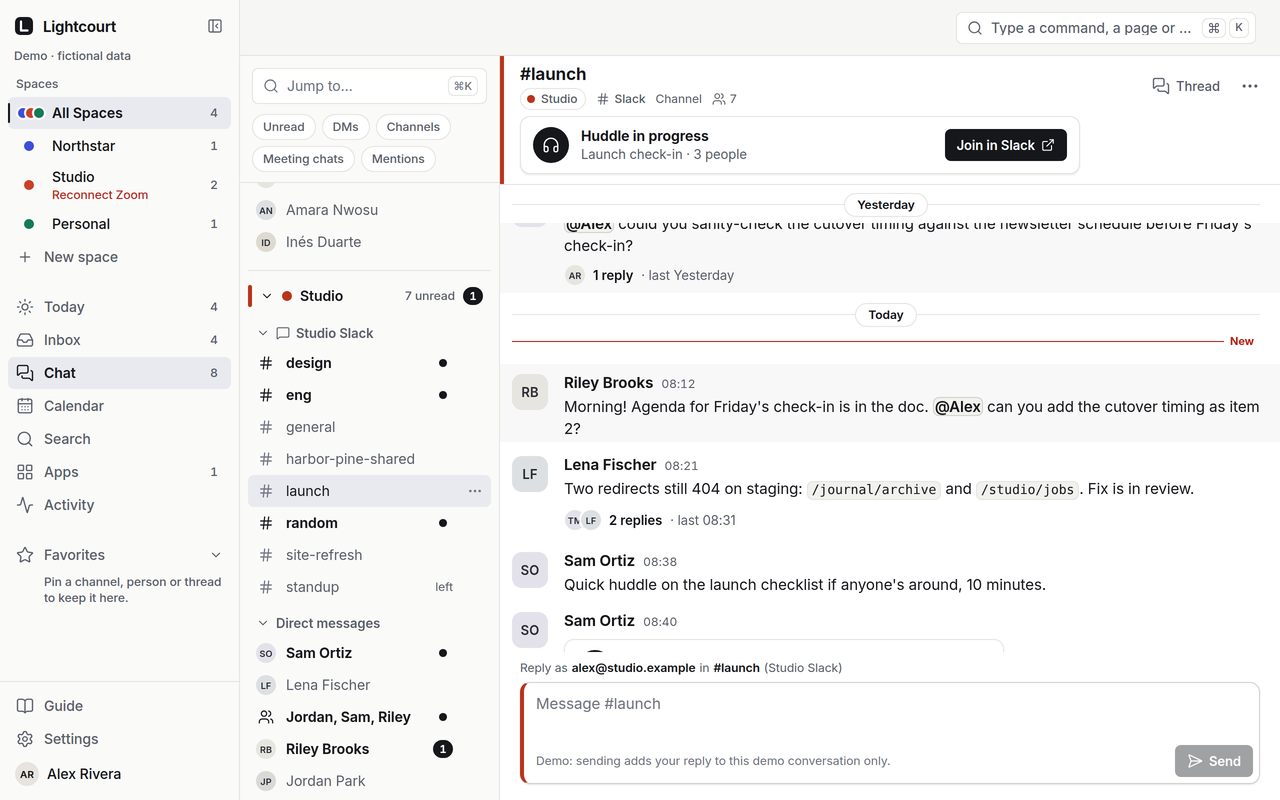
Mail, Slack and Teams from each company in one Inbox. Channels and DMs stay grouped by Space, and a reply always goes out from the Space it came from.
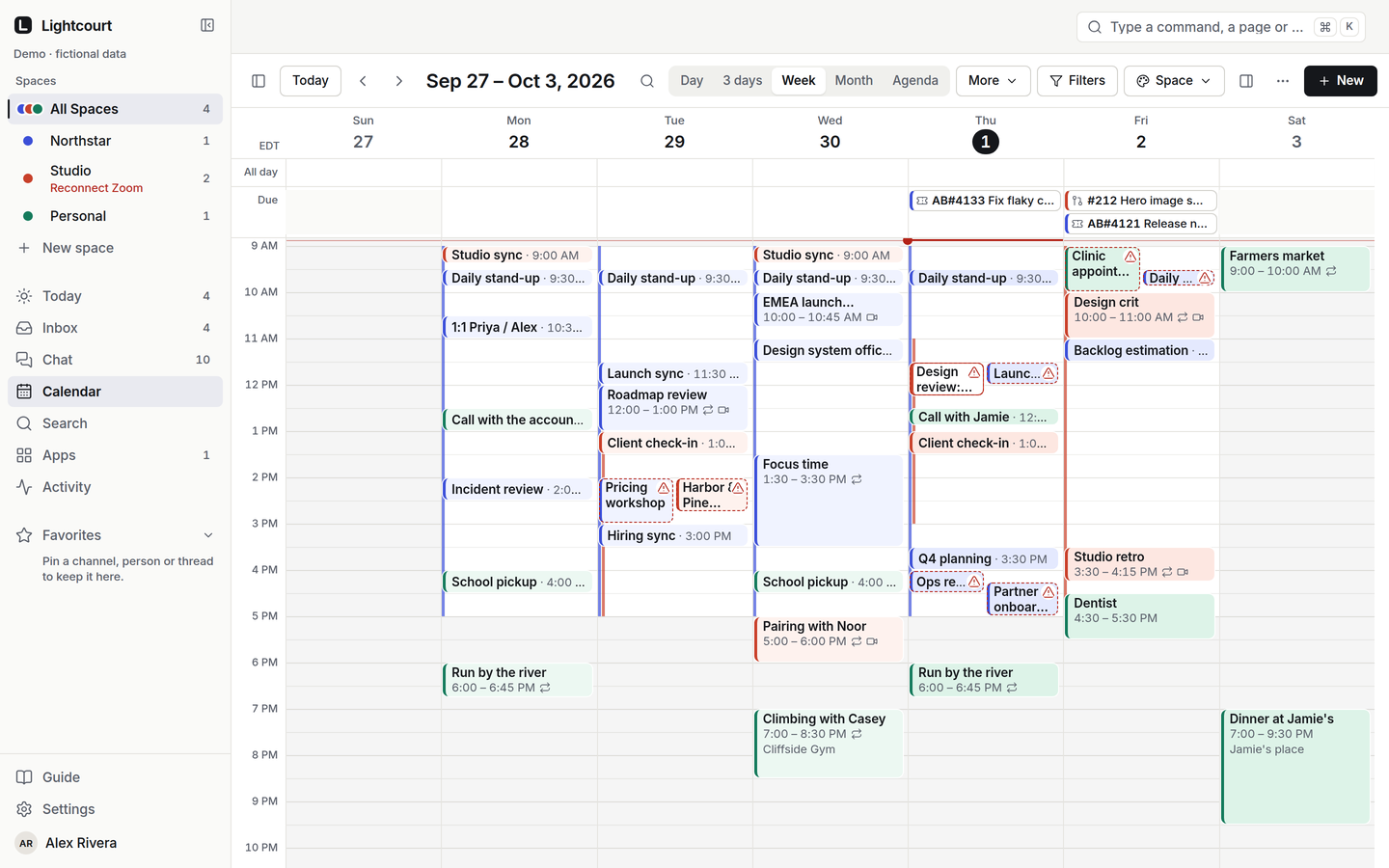
Every calendar in one week, coloured by Space. Overlaps between companies are marked, so you see them before anyone else does.
We don’t copy your calendars.
Other tools put your client’s meetings on your employer’s calendar as Busy blocks. We don’t.
Try it
This is the app’s own calendar on the demo’s fictional data. Turn a Space off, or drag Studio’s design review off Northstar’s launch sync.
Now
Maya is waiting on a decision
Confirm the launch window before your launch sync.
Today
One last look at the proposal
Jordan's feedback is ready for your review.
Confirm the design review time
Sam moved the site-refresh design review and asked everyone to confirm the new time.
Your appointment needs a form
Finish the intake form before your appointment.
Thu 1 Oct · New York time · fictional data
Drag an event to move it
See what needs you. Each organization sees only itself.
Each Space has its own key, its own data and its own AI policy. Lightcourt combines them only on your device, and only into what needs you. There is no path from one company’s data to another’s.
Northstar A company you work for
Can see
Can’t see
Studio A company you work for
Can see
Can’t see
Lightcourt Us, as your vendor
Can see
Can’t see
Stripe Payments
Can see
Can’t see
Lightcourt cannot hide the fact that it exists as a vendor or that it was authorized in an organization’s own environment.
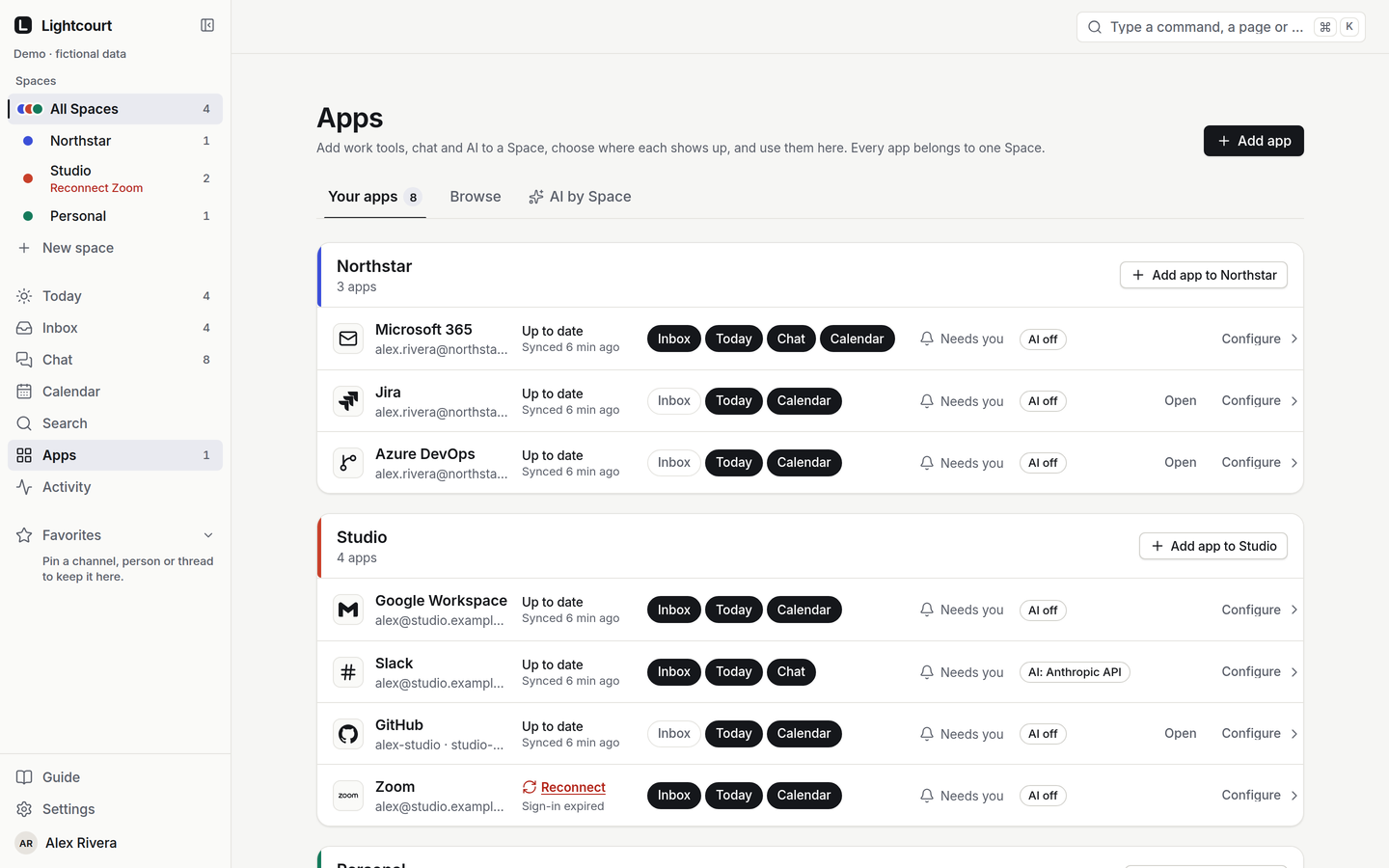
Add an app to a Space and choose where it shows up. Each connection belongs to one Space, so the same app at two companies is two separate connections.
Every enterprise connector shows an Admin Visibility Preflight before you sign in.
Pricing
When the trial ends you keep Free, or choose the plan that fits how many companies you work with.
For one company, to see how it feels.
$0 No card needed
Starts with 14 days of Command
For people who work across a few companies.
$29 /month Billed monthly
$290 /year Billed yearly · $24.17 a month
For running several companies from one place.
$69 /month Billed monthly
$690 /year Billed yearly · $57.50 a month
14 days free, no card. Then $69/month.
Business for teams from $59 per user per month, billed annually. Enterprise by conversation.
Compare every planNo. An organization may see that Lightcourt is connected to its own systems, but it cannot see, query or infer which other organizations or accounts you have connected. Its admins can see the connection itself — Lightcourt doesn’t hide that.
Your account moves to Free: one Space and two connected apps. Anything you already have stays readable — you just can’t add more until you choose a plan.
No. Lightcourt doesn’t write a meeting, or even a generic Busy block, into another company’s calendar. Conflicts are shown to you, on your device.
Only on your device. Each Space is fetched separately, and what needs you is combined in the app. No server returns more than one Space.
No. Every Space has its own model policy, and the default uses local rules only. A model working in Studio has no route to Northstar’s data.
They can. Before you connect a work account, Lightcourt shows what that organization’s admins may see — the app’s name, the permissions it asked for and sign-in records — so you decide with the facts.
Start with 14 days of Command — every feature, no card. Then keep Free or choose a plan.